Graphics adapters
The machine setting selects which video
adapter DOSBox Staging emulates. This determines the graphics modes available
to DOS programs and, in some cases, enables additional hardware like sound
chips.
The default svga_s3 (S3 Trio64) covers the widest range of
games, from standard VGA through high-resolution SVGA. You only need to change
it for titles that specifically require an older standard, typically early to
mid-1980s games written for CGA, Tandy, or
Hercules hardware, or demoscene productions
targeting specific SVGA chipsets.
For an overview of which graphics standard was typical in each era, see The DOS eras. The Getting Started guide walks through switching between adapters for a specific game.
Hercules Graphics Card
machine = hercules
The Hercules Graphics Card (also referred to as HGC or just Hercules), released in 1982 by Hercules Computer Technology, was the first widely available card to combine MDA-compatible text with bitmapped graphics on IBM PC compatibles. Its 720×348 monochrome graphics mode offered the highest resolution available to standard PC monitors until VGA arrived five years later.
Hercules was hugely popular for business software and CAD programs. Game support was more limited — most action games required colour — but titles with explicit Hercules support include Lotus 1-2-3, various text adventures, and a number of Sierra and other titles that shipped with Hercules drivers.
DOSBox Staging emulates the Hercules with selectable monochrome phosphor
palettes (amber, green, white, paperwhite) that can be cycled with F11 or
set via the
monochrome_palette
setting.
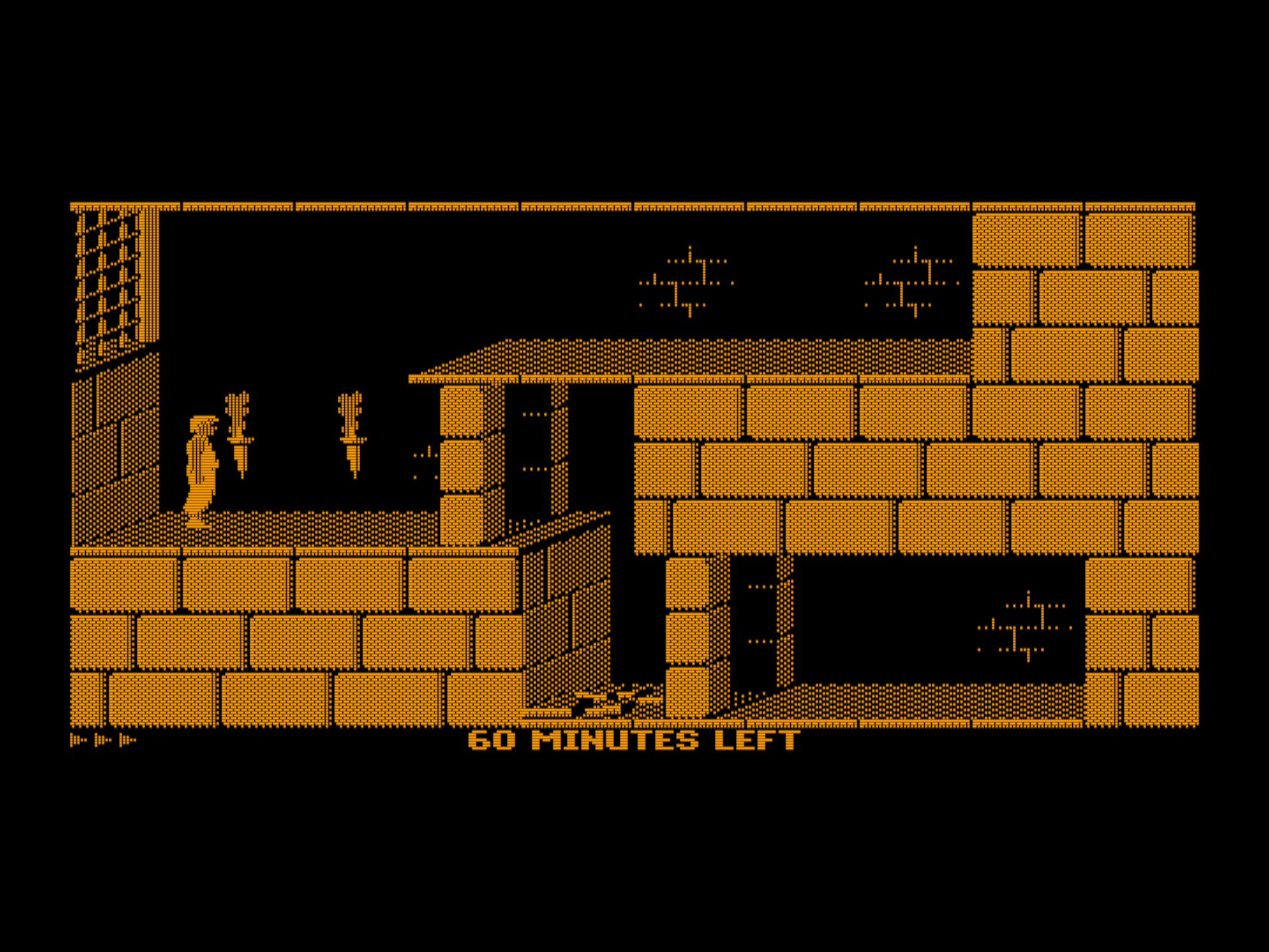
Prince of Persia in Hercules mode using the default amber palette
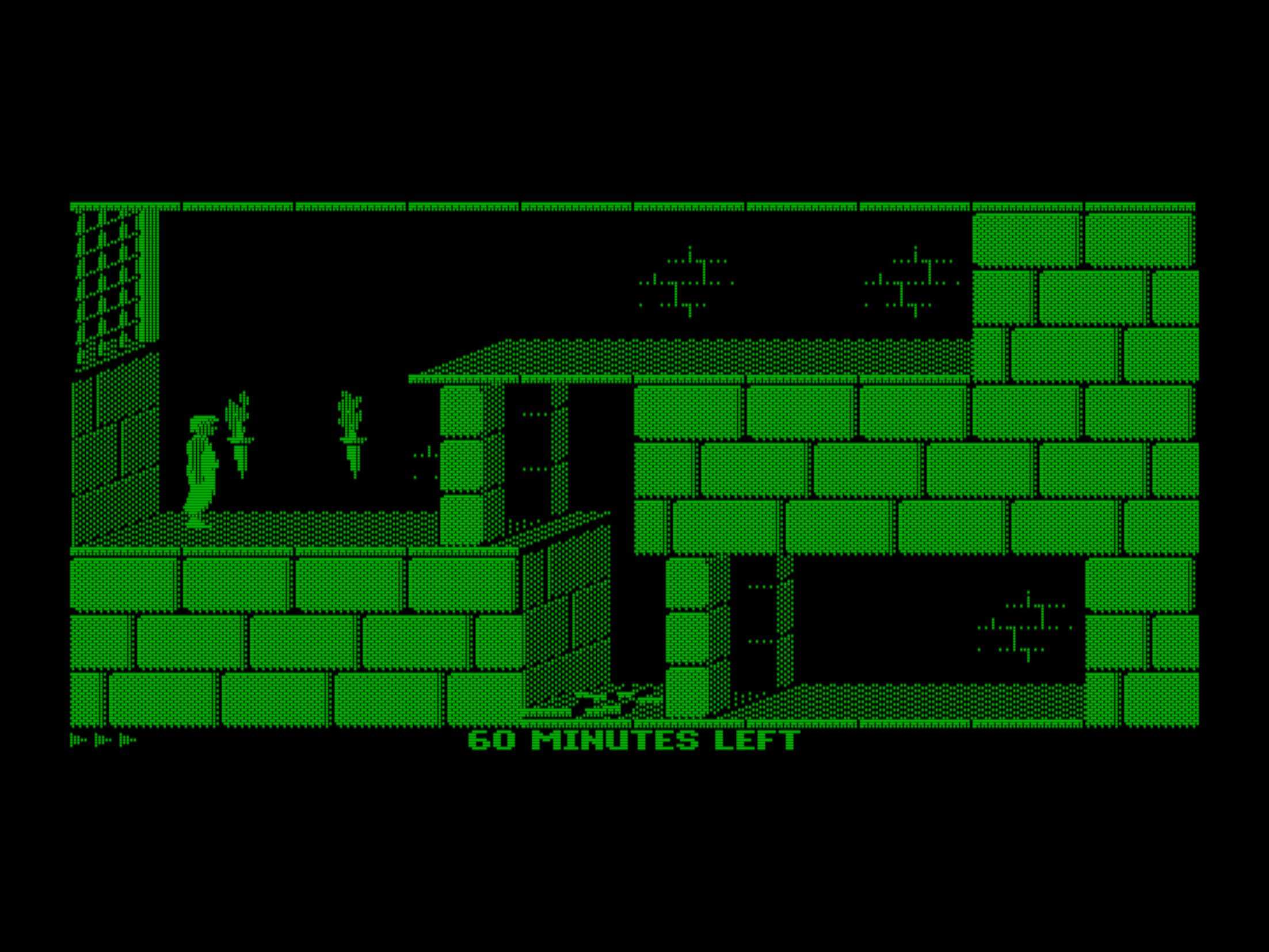
Hercules mode using the green palette
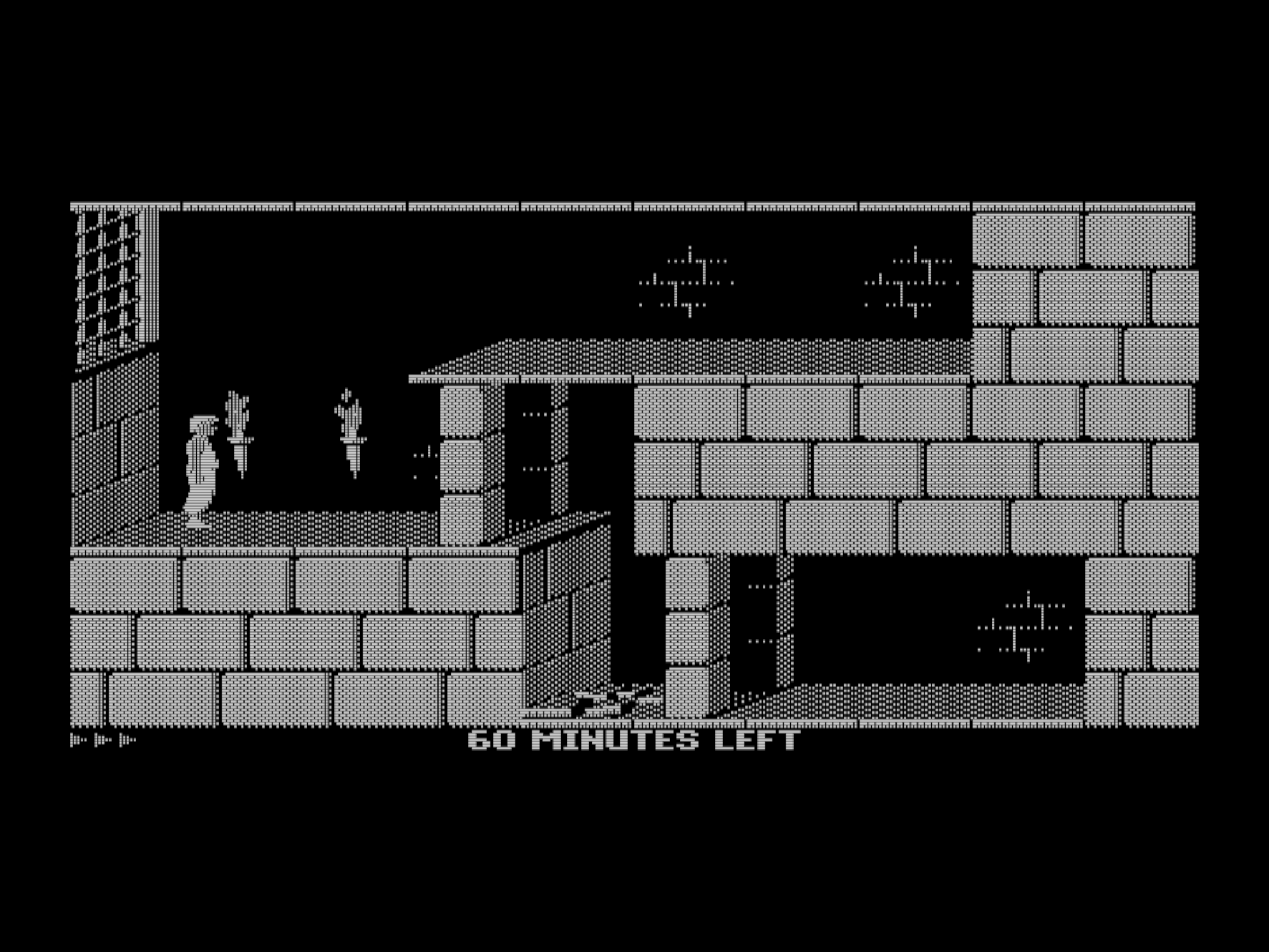
Hercules mode using the white palette
Note
Some software (CheckIt, QBasic, MS-DOS Editor) may detect Hercules as MDA
and refuse to enter graphics mode. Look for a companion TSR like
QBHERC.COM or MSHERC.COM to work around this.
CGA and its descendants
CGA
machine = cga
Introduced in 1981, IBM’s Color Graphics Adapter or just CGA was the first colour graphics option for the PC. It offered 320×200 at 4 colours from fixed palettes, 640×200 at 2 colours, and both 40- and 80-column colour text modes.
CGA’s most distinctive feature is its composite video output. On NTSC composite monitors or TVs, interference patterns in the signal produce “artifact colours” — up to 16 colours from what is nominally a 4-colour mode. Sierra On-Line and other developers deliberately exploited this to produce far more colourful graphics than the digital RGBI output could display. See Composite video for full details.
CGA was the baseline graphics standard that virtually all DOS games from 1981 to 1987 supported, and it remained a common fallback option well into the early 1990s.
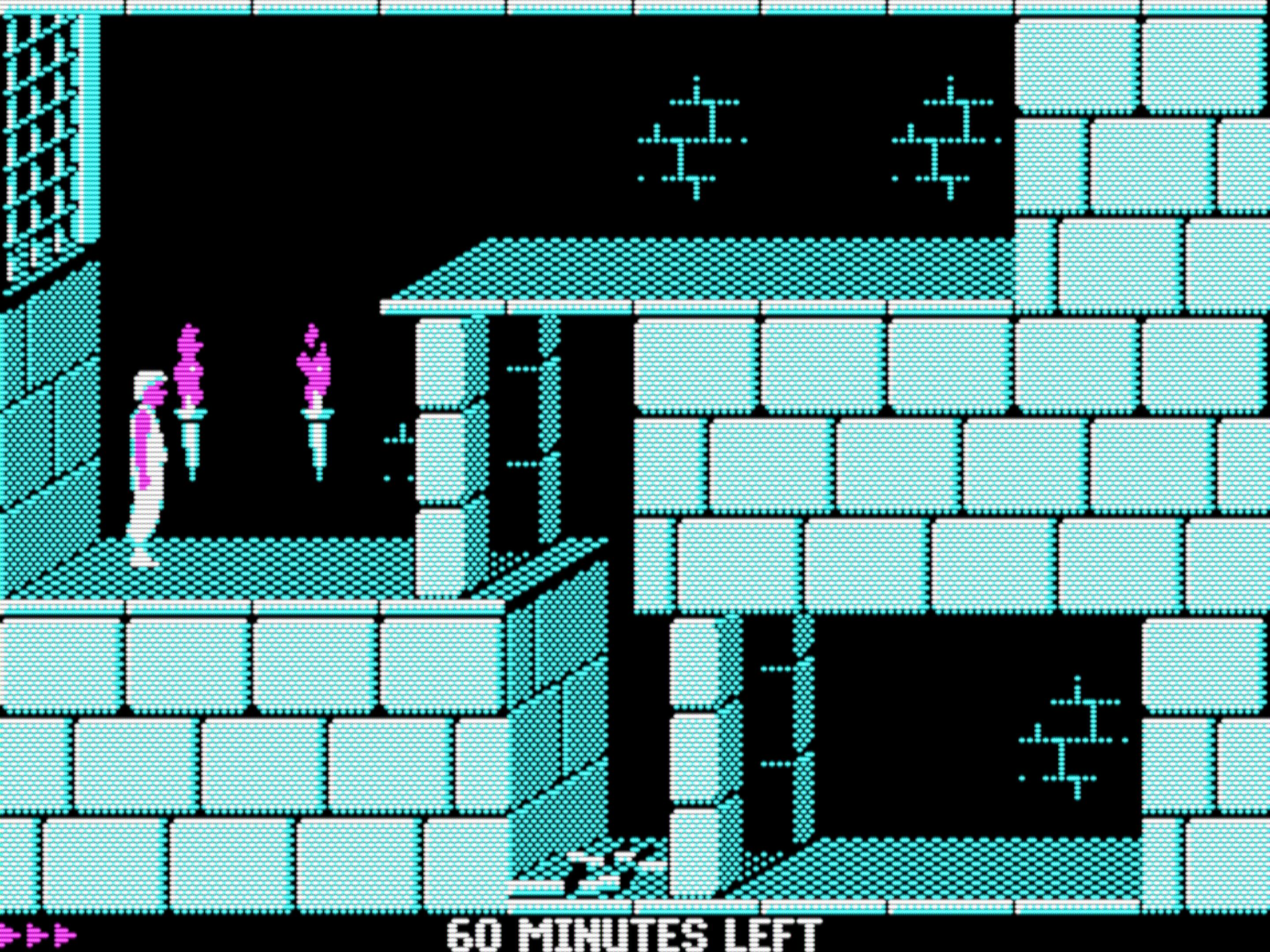
Prince of Persia in CGA mode
Monochrome CGA
machine = cga_mono
Emulates a CGA adapter connected to a monochrome monitor. This produces CGA video modes rendered in monochrome, with selectable phosphor palettes just like Hercules mode. A few programs were designed for this specific configuration.
IBM PCjr
machine = pcjr
Released in 1983, the IBM PCjr was IBM’s ambitious but ill-fated attempt at a home computer. It extended CGA with additional video modes — most notably 16-colour 320×200, a significant step up from CGA’s 4-colour limit — and added a 3-voice sound chip (Texas Instruments SN76496 ), the first built-in sound hardware beyond the PC speaker on any IBM PC platform.
It was discontinued after just one year. The chiclet keyboard was universally mocked, the price was too high, and compatibility with standard IBM PC software was shakier than anyone wanted. Tandy Corporation saw the opportunity, cloned the PCjr’s enhanced graphics and sound into the Tandy 1000, fixed most of what IBM got wrong, and sold it through their Radio Shack stores nationwide in the USA. The rest is history — the PCjr is a footnote, the Tandy 1000 is beloved.
Setting machine = pcjr enables PCjr graphics, PCjr
sound and composite
video emulation.
Tandy 1000
machine = tandy
The Tandy 1000 released in 1984 by Tandy Corporation successfully cloned the IBM PCjr’s enhanced graphics and sound into a longer-lived, more popular product line. All CGA and PCjr video modes are supported, including 16-colour 320×200 — and while Tandy graphics are technically an extension of CGA rather than EGA, the 16-colour 320×200 mode means most games that supported both Tandy and EGA looked virtually identical on either platform. Later Tandy models added 16-colour 640×200. The built-in TI SN76496 3-voice sound chip gave Tandy machines a major audio advantage over standard PCs.
Combined with enhanced graphics and sound, the Tandy 1000 was the best consumer-grade DOS gaming platform of the mid-1980s. Many Sierra titles (King’s Quest, Space Quest, Leisure Suit Larry), Defender of the Crown, and Sid Meier’s Pirates! look and sound noticeably better in Tandy mode compared to standard CGA.
Setting machine = tandy also enables
Tandy sound and
composite video emulation.
Composite video
The CGA, PCjr, and Tandy adapters all support composite video emulation. On real hardware, connecting these cards to an NTSC composite monitor or TV produced “artifact colours” — interference patterns in the analogue signal that create far more colours than the digital output. Game developers at Sierra On-Line and elsewhere deliberately exploited this effect.
DOSBox Staging faithfully emulates composite output for all three adapters, including adjustable hue, saturation, contrast, and brightness. This is essential for playing early Sierra AGI games (King’s Quest, Space Quest) as the artists intended. See Composite video for configuration details and hotkeys.
EGA
machine = ega
IBM’s Enhanced Graphics Adapter or EGA released in 1984 was a major step forward: 16 simultaneous colours from a 64-colour palette at up to 640×350 resolution. DOSBox emulates EGA with a fixed 256 KB of video memory.
EGA was the dominant PC graphics standard from roughly 1985 to 1990. Most celebrated games of the period, including Loom, The Secret of Monkey Island, and the early Sierra adventures, ran in 16-colour 320×200, a resolution shared equally by EGA and Tandy. EGA’s higher 640×350 resolution was used mainly by strategy titles, simulations, and illustrated text adventures that benefited from the extra detail. Legend Entertainment’s Spellcasting 101 and Timequest are good examples of games built specifically around it. Most games used dithering creatively to simulate more colours than the 16-colour palette could display directly.
Note
EGA is not backward compatible with Hercules/MDA text modes. Games expecting CGA monitor behaviour on an EGA card may also show differences, as DOSBox emulates the EGA with an EGA-class monitor.
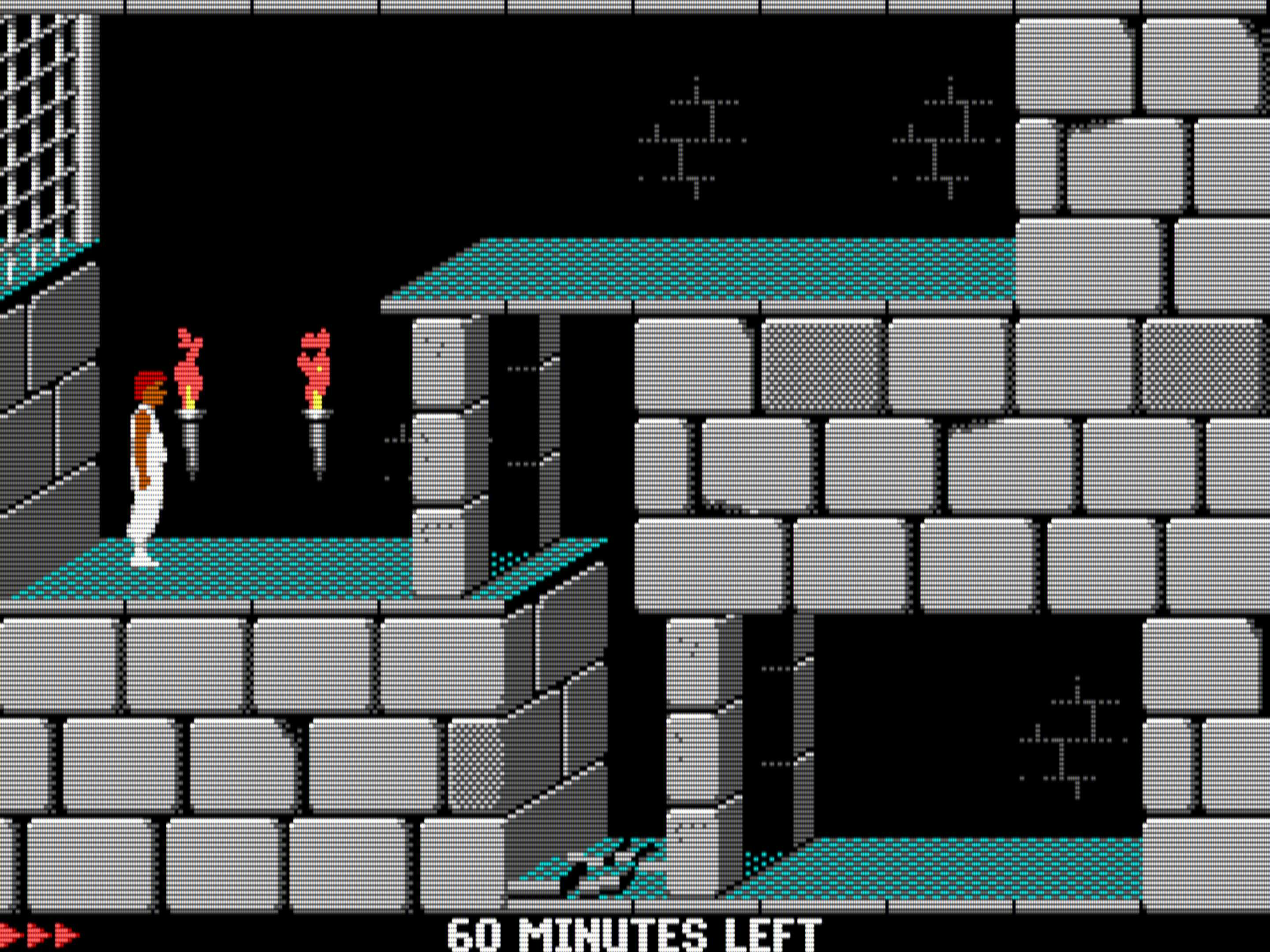
Prince of Persia in EGA mode
VGA and SVGA
IBM’s Video Graphics Array or VGA from 1987 was the last IBM graphics standard that PC clone manufacturers widely adopted. VGA introduced the iconic Mode 13h — 256 colours from a palette of 262,144 at 320×200 — which became the standard DOS gaming mode from the late 1980s through the mid-1990s. VGA also introduced analog video output, replacing the digital RGBI output of earlier standards.
There is no dedicated VGA-only machine type in DOSBox Staging. All SVGA
adapters below are fully backward-compatible with VGA (and by extension
CGA and EGA), so any of them will work for VGA games. The
default svga_s3 is the best general-purpose choice.
SVGA (Super VGA) is a loose term for any VGA superset offering higher resolutions and colour depths. Because each manufacturer implemented their own extensions, the VESA BIOS Extensions (VBE) standard was created to provide a uniform programming interface. DOSBox Staging emulates four SVGA chipsets, ranging from late 1980s designs to the mid-1990s S3 Trio64.
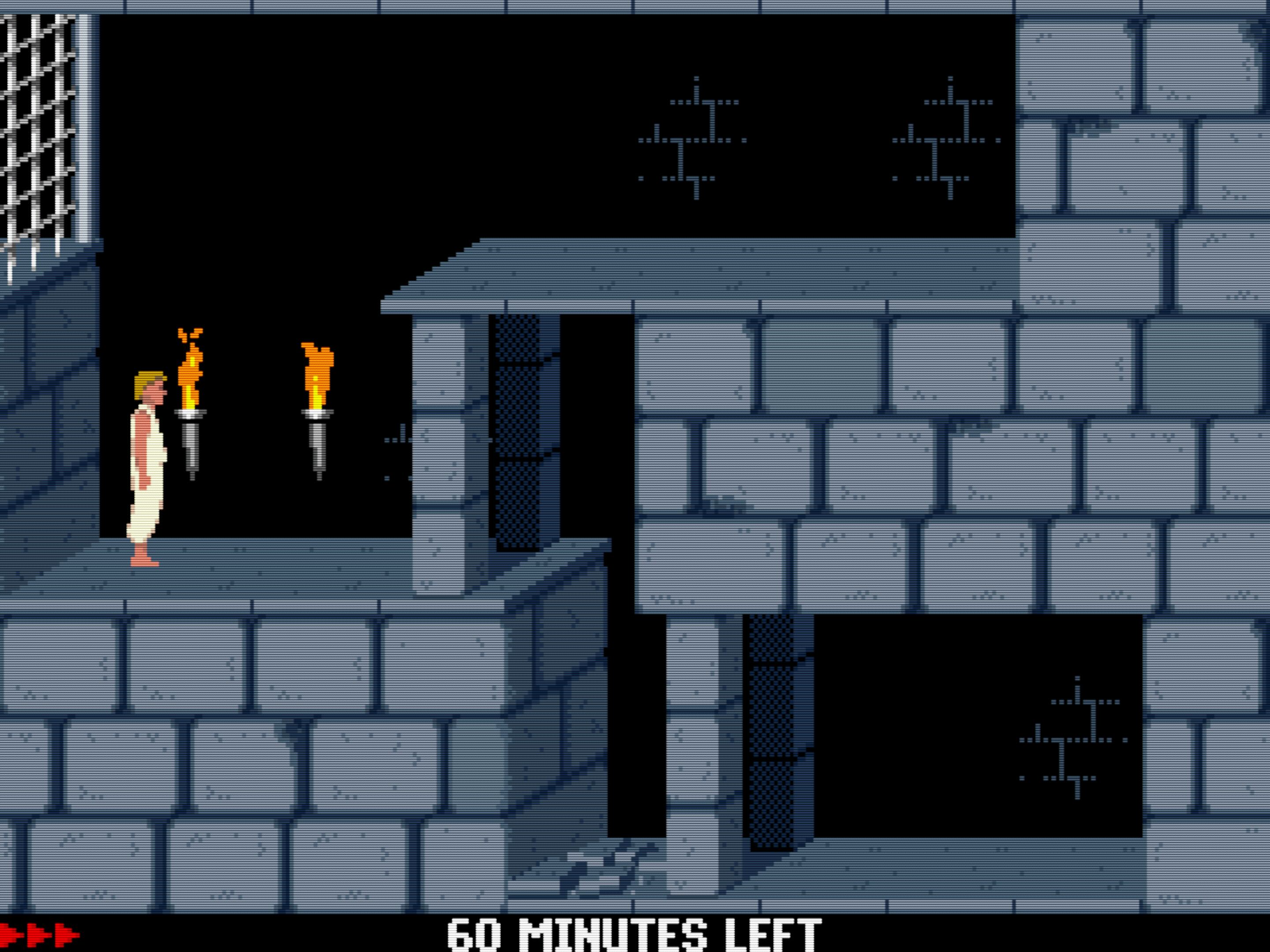
Prince of Persia in VGA mode — VGA adapters line-double 200-line modes, resulting in “chunky” looking pixels
Paradise PVGA1A
machine = svga_paradise
The Paradise PVGA1A (1988) was an early SVGA chipset from Western Digital,
and the closest thing DOSBox Staging offers to a plain IBM VGA adapter. It has
no VESA VBE support and defaults to 512 KB of video memory (configurable to
256 KB or 1 MB via vmemsize).
Use this for games or demos that expect strict VGA behaviour with no SVGA extensions — particularly titles that break or behave unexpectedly on more capable adapters. It’s also the recommended choice for the handful of games that rely on per-scanline VGA register tricks, as it most faithfully replicates the original IBM VGA implementation.
Tseng Labs ET3000
machine = svga_et3000
The Tseng Labs ET3000 (1987) was one of the earliest SVGA chipsets, predating even the Paradise PVGA1A. Its extended modes are limited by today’s standards — 800×600 at 16 colours and 640×480 at 256 colours — and it has no VESA VBE support and a fixed 512 KB of video memory. Despite its limitations, the ET3000 was fast for its time and found a following in the demoscene.
This is a niche option, useful mainly for demoscene productions or the occasional title written specifically for this chipset.
Tseng Labs ET4000
machine = svga_et4000
The Tseng Labs ET4000 (1989) was the successor to the ET3000 and one of
the most popular SVGA chipsets of the early 1990s — widely adopted,
well-supported, and significantly more capable than its predecessor. It offers
a wider range of extended modes and defaults to 1 MB of video memory
(configurable to 256 KB or 512 KB via
vmemsize). No VESA VBE is supported on this
card.
The ET4000’s popularity made it a common target for demoscene productions of the era, and a handful of games were written with it specifically in mind. If a game or demo explicitly lists ET4000 support, this is your machine type.
S3 Trio64
machine = svga_s3 default
The S3 Trio64 from 1994 is the default machine type and the most capable
adapter in DOSBox Staging. By the mid-1990s, S3 cards were ubiquitous, and the
Trio64 represents the peak of the DOS-era SVGA landscape. It provides full
VESA VBE 2.0 support with a linear framebuffer, defaults to 4 MB of video
memory (configurable from 512 KB to 8 MB via
vmemsize), and handles everything from
standard VGA up to high-resolution SVGA modes including 1600×1200.
This is the right choice for the vast majority of DOS games — if you’re not
sure which adapter to use, stay here. Use the
vesa_modes setting to control which SVGA
modes are exposed to software.
Note
The S3 Trio64 is not compatible with Tandy, PCjr, or Hercules graphics.
Games requiring these standards need the corresponding machine type.
Tip
Some games and GOG releases ship with UniVBE (Universal VESA BIOS
Extensions), a third-party VESA driver from the 1990s. DOSBox Staging’s
built-in VESA implementation is fully compliant, making UniVBE unnecessary
— and it can actually cause graphical glitches. If a game has trouble
with SVGA modes, check for a bundled UNIVBE.EXE or UVCONFIG.EXE and
try preventing it from loading (remove the line from the game’s batch
file, or rename the file).
Two variants are available for specific compatibility needs:
-
machine = vesa_oldvbe— Same S3 Trio64, but limited to VESA VBE 1.2. Use for games that malfunction with VBE 2.0. -
machine = vesa_nolfb— S3 Trio64 with VESA VBE 2.0 but without the linear framebuffer hack. Needed by a small number of titles.
Summary
machine value |
Adapter | Year | Max colours | Max resolution |
|---|---|---|---|---|
hercules |
Hercules HGC | 1982 | 2 (monochrome) | 720×348 |
cga_mono |
CGA (monochrome monitor) | 1981 | 16 (monochrome) | 640×200 |
cga |
CGA | 1981 | 4 (16 in composite) | 640×200 |
pcjr |
PCjr | 1983 | 16 | 640×200 |
tandy |
Tandy 1000 | 1984 | 16 | 640×200 |
ega |
EGA | 1984 | 16 | 640×350 |
svga_paradise |
Paradise PVGA1A | 1988 | 256 | 1024×768 |
svga_et3000 |
Tseng Labs ET3000 | 1987 | 256 | 1024×768 |
svga_et4000 |
Tseng Labs ET4000 | 1989 | 65K | 1280×1024 |
svga_s3 |
S3 Trio64, VBE 2.0 default | 1994 | 16.7M | 1600×1200 |
vesa_oldvbe |
S3 Trio64, VBE 1.2 | 1994 | 16.7M | 1600×1200 |
vesa_nolfb |
S3 Trio64, VBE 2.0 (no LFB) | 1994 | 16.7M | 1600×1200 |
3D and video accelerators
DOSBox Staging also emulates two add-on cards that work alongside the primary video adapter:
-
3dfx Voodoo — The iconic 3D accelerator released in 1996.
-
ReelMagic — Sigma Designs MPEG-1 hardware decoder from 1993 for full-motion video in a handful of DOS titles.
These are independent of the machine setting
and can be used with any adapter.
Configuration settings
You can set these in the [dosbox] configuration section.
machine
-
Set the video adapter or machine to emulate.
Possible values:
hercules– Hercules Graphics Card (HGC) (seemonochrome_palette).cga_mono– CGA adapter connected to a monochrome monitor (seemonochrome_palette).cga– IBM Color Graphics Adapter (CGA). Also enables composite video emulation (see Composite video).pcjr– An IBM PCjr machine. Also enables PCjr sound and composite video emulation. See Machine types.tandy– A Tandy 1000 machine with TGA graphics. Also enables Tandy sound and composite video emulation. See Machine types.ega– IBM Enhanced Graphics Adapter (EGA).svga_paradise– Paradise PVGA1A SVGA card (no VESA VBE; 512K vmem by default, can be set to 256K or 1MB withvmemsize). This is the closest to IBM’s original VGA adapter.svga_et3000– Tseng Labs ET3000 SVGA card (no VESA VBE; fixed 512K vmem).svga_et4000– Tseng Labs ET4000 SVGA card (no VESA VBE; 1MB vmem by default, can be set to 256K or 512K withvmemsize).svga_s3default – S3 Trio64 (VESA VBE 2.0; 4MB vmem by default, can be set to 512K, 1MB, 2MB, or 8MB withvmemsize).vesa_oldvbe– Same assvga_s3but limited to VESA VBE 1.2.vesa_nolfb– Same assvga_s3(VESA VBE 2.0), plus the “no linear framebuffer” hack (needed only by a few games).
vmemsize
-
Video memory in MB (1–8) or KB (256 to 8192). See the
machinesetting for the list of valid options and defaults per adapter.Possible values:
autodefault (uses the default for the selected video adapter), or a specific size in MB or KB.
vesa_modes
-
Controls which VESA video modes are available.
Possible values:
-
compatibledefault – Only the most compatible VESA modes for the configured video memory size. Recommended with 4 or 8 MB of video memory (vmemsize) for the widest compatibility with games. 320×200 high colour modes are excluded as they were not properly supported until the late ’90s. The 256-colour linear framebuffer 320×240, 400×300, and 512×384 modes are also excluded as they cause timing problems in Build Engine games. -
halfline– Same ascompatible, but the 120h VESA mode is replaced with a special halfline mode used by Extreme Assault. Use only if needed. -
all– All modes are available, including extra DOSBox-specific VESA modes. Use 8 MB of video memory for the best results. Some games misbehave in the presence of certain VESA modes; trycompatiblemode if this happens. The 320×200 high colour modes available in this mode are often required by late ’90s demoscene productions.
The following table shows the available resolutions in
compatiblemode and the minimum video memory required for each colour depth. Standard VGA modes (320×200, 640×480, etc.) are always available regardless of thevesa_modessetting.Resolution 4-bit 8-bit 16-bit 24-bit 32-bit 640×400 — any — — 1 MB 640×480 any any 1 MB 1 MB 2 MB 800×600 any any 1 MB — 2 MB 1024×768 any 1 MB 2 MB — 4 MB 1152×864 — 1 MB 2 MB 4 MB 4 MB 1280×960 1 MB 2 MB 4 MB 4 MB 8 MB 1280×1024 1 MB 2 MB 4 MB 4 MB 8 MB 1600×1200 1 MB 2 MB 4 MB 8 MB 8 MB The
allmode adds the following on top ofcompatible:- 320×200 and 320×240 high colour modes (15/16/24/32-bit)
- 320×400 and 320×480 modes in various depths
- 400×300 modes (8/15/16/24-bit)
- 512×384 modes (8/15/16/32-bit)
- 848×480 widescreen modes (8/15/16/32-bit)
-
vga_8dot_font
-
Use 8-pixel-wide fonts on VGA adapters.
Possible values:
on,offdefault
vmem_delay
-
Set video memory access delay emulation.
Possible values:
offdefault – Disable video memory access delay emulation. This is preferable for most games to avoid slowdowns.on– Enable video memory access delay emulation (3000 ns). This can help reduce or eliminate flicker in Hercules, CGA, EGA, and early VGA games.<number>– Set access delay in nanoseconds. Valid range is 0 to 20000 ns; 500 to 5000 ns is the most useful range.
Note
Only set this on a per-game basis when necessary as it slows down the whole emulator.